21 September 2026
New in Numaga: attachments in the app
Send a document or photo along with your question in the Numaga app. The file goes to your own organisation’s environment, and the conversation you start on the road is waiting for you in the web environment too.
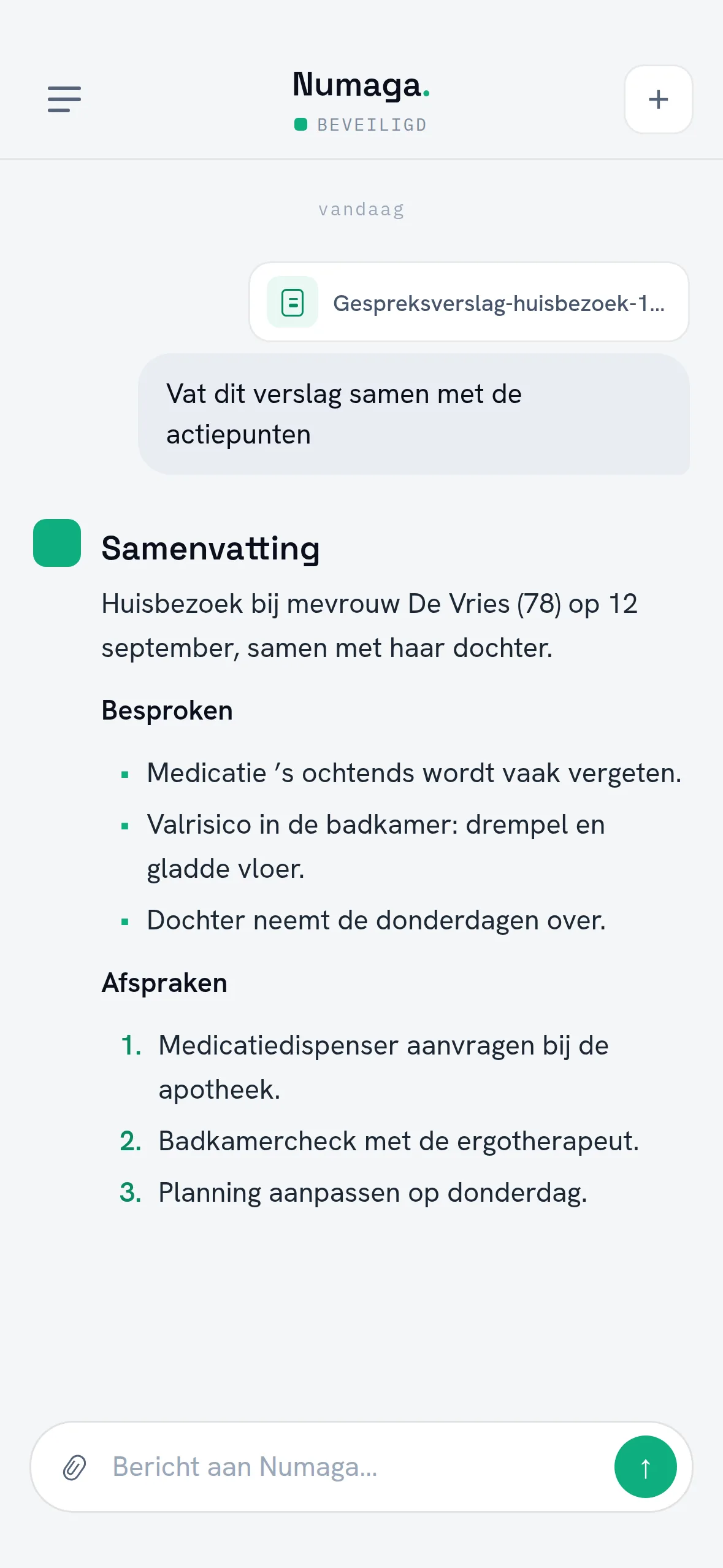
The Numaga app can now send attachments along with your question. You pick a document from Files or Drive, a photo from your library, or you take one on the spot with the camera. Numaga reads along and uses the content in its answer, with references to the passages that answer rests on — just like with a knowledge base.
Why this was needed
The work is often in a document you happen to have with you: a letter from the health authority, a protocol, a form somebody hands you. Until now the app could do nothing with it. You waited until you were back at your desk, or you retyped the gist into the chat.
The easy way out is a public AI tool on your phone, and that is where the real risk sits: a document from your organisation ends up at a service nobody has agreements with. That is why attaching runs through your own environment. The file goes to your organisation’s Numaga environment, single-tenant and hosted in the Netherlands, with the same access rules and the same logging as the rest of your AI traffic.
How it works
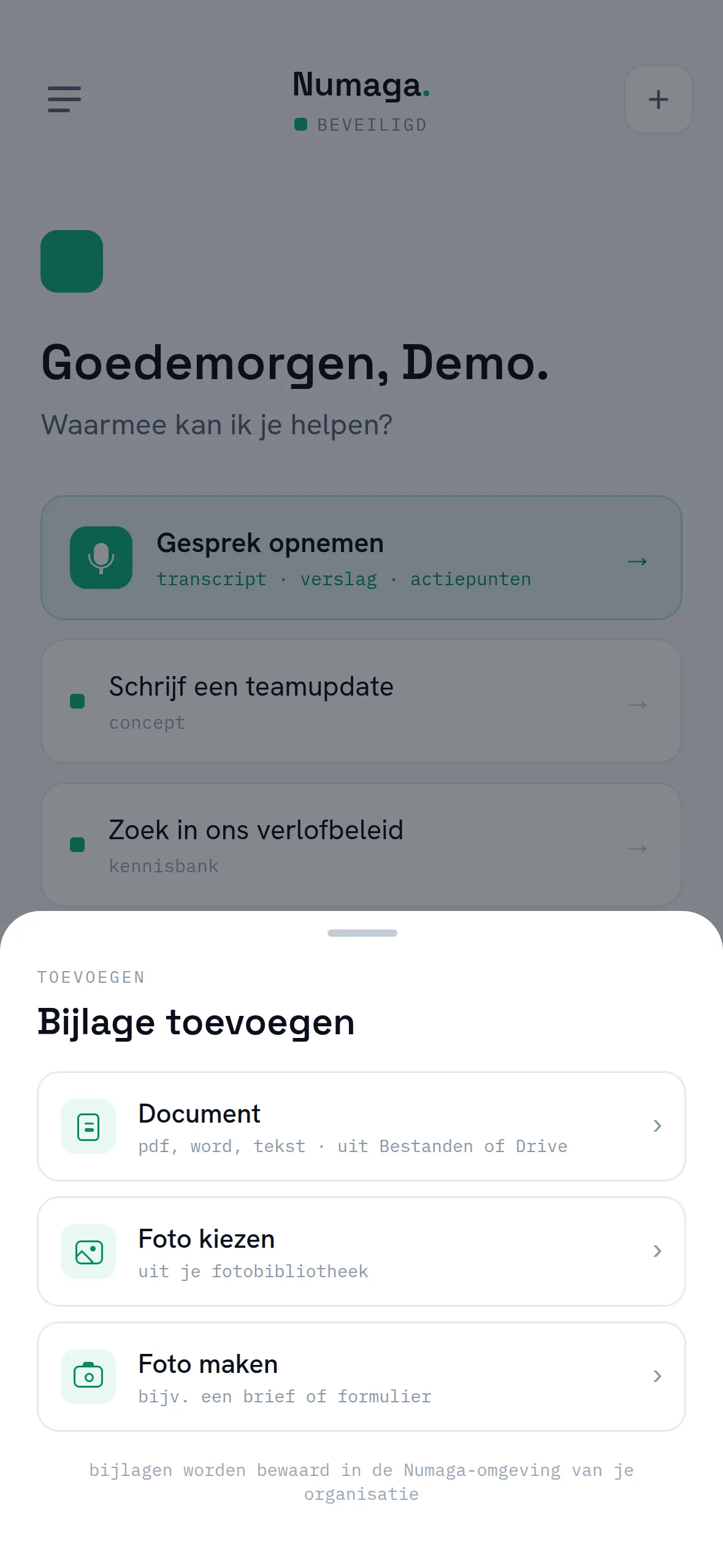
There is a paperclip at the left of the message field, with three choices: a document, a photo from your library, or a photo you take right away. That last one turns your phone into a scanner — photographing a letter or a form works just as well as picking a file.
The attachment appears as a card above the message field and shows where it is: uploading, processing, ready. Your question only goes out once everything is ready, so the answer is never about a document that was still half in transit. After that, follow-up questions work as usual: the attachment stays available inside that conversation, so you do not have to explain it again.
Start on the road, continue at your desk
From this version on, conversations you start in the app also appear in the web environment — including the attachment you sent. You ask the question on the road and work the answer out later on a big screen, in the same conversation. Delete a conversation in the app and it disappears from the web environment too: deleting means the same thing everywhere.
One deliberate exception: reports of recorded conversations stay on the device only. Those are the most sensitive conversations the app produces, and we keep the number of places they live as small as possible.
Who this is for
For everyone who does the work away from a desk: in the car between appointments, at someone’s home, on the shop floor. For administrators nothing changes about oversight — an attachment follows the same path as the rest of your AI traffic and is just as traceable.
Attachments ship in the latest update of the Numaga app for iOS and Android. Documents work right away; photos as soon as a model with image recognition is available for your organisation. Book a demo and we’ll show it live.